KWS Newsletter – Issue 6
Please click here to read Issue 6 of our newsletter.
Please click here to read Issue 6 of our newsletter.
Please click here to read Issue 5 of our newsletter.
Please Click Here to read Issue 4 of our newsletter.
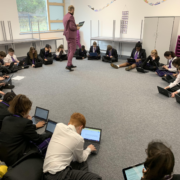
Kier have released the following Drone Video showing the progress of the main build as of October 2019.
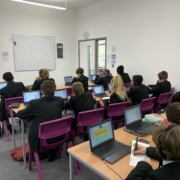
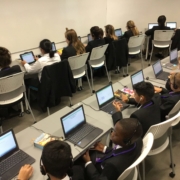
Welcome to the first of our posts about Chromebooks at Katherine Warington. In the run up to October half term we have had two weeks of using Chromebooks in lessons.


Chromebooks in action: So what have we used them for in our first couple of weeks? Outlined below are some of the ways in which our team have used them to date:
| Maths | Chromebooks are used at the start of every Maths lesson for a 5 minute recall task. Across the week students use Numeracy Ninjas, complete a Total Recall knowledge quiz, play Times Table Rockstars and complete a Knowledge Organiser quiz. We have also introduced Hegarty Maths and run two introductory lessons to model how students should use the platform along with a book to write notes and workings in so they can use it productively through to GCSE. We can’t wait to start using Desmos after half term to model some of the sequences and algebra work we have been doing on graphs. |
| English | We used them to write our first PEA (Point, Evidence, Analysis) paragraph about a character called Mr Munnings in our book Private Peaceful. It was completed on Google Docs and then uploaded to the teacher for feedback. |
| Science | Chromebooks helped us to research details about different organ systems, e.g. Which life processes are helped by this organ system? What are the jobs performed by the organs in each organ system? etc. Without them only limited textbook information would have been available and it would have taken a full lesson out if we’d needed to ‘book a computer room’ for this task. |
| History | Sources and questions have been interactive in front of each individual student rather than sharing or not being able to see clearly. While we watched a video as a class we responded to the video live on a document. This promoted independent learning and autonomy, improving student engagement. |
| Geography | We used Chromebooks to look at the entire Ordnance Survey map ‘legend’ (or key) in order to swot up on map symbols before a heated game of Map Symbol Bingo. A huge saving on printing costs. |
| RE | Students had a silent debate around the question ‘Can scientists be theists?’ We had the live feed up and students were encouraged to reply. |
| Drama | We used Chromebooks while planning a piece of theatre from a stimulus, creating individual storyboards as a group in a practical space. This ensured clarity and quality in presentation despite the learning space; if this activity was done in their exercise books it would have taken at least 15 minutes longer (making the table, labelling, writing on the floor etc.) |
| Computing | We have spent our first few weeks setting up our Online Planner. Rather than a physical planner that some schools have, our students have created bookmarks in Chrome to everything they need. This includes GMail, Google Classroom, Google Drive, Show My Homework and Arbor, plus a Google Site for our students with key information about clubs, lunch menus, maps and so forth. The great thing is we can update this site regularly and students can all access the up to date information. Students collaborated in groups to agree on email etiquette before editing a Google doc to bring the whole class’ view together. |
| PSHCE | We used quizz-iz to consolidate and check the learning, it was a massive win – the students loved it. It was a real motivator and finished the lesson on a high. When they thank you for the lesson as they leave, you know it worked! |
| Music | We watched a flashmob performance of Beethoven’s Ode to Joy. Students used their Chromebooks to type in the instruments they could see/hear onto a Google Classroom document. Answers were then sent straight to the teacher. |
| Intervention | Students used their Chromebooks to email concerns they had about the transition to secondary school, a great tool to encourage communication by some of our quieter and more vulnerable students. |
| Injured Hands! | It seems that a few of our students have had encounters with basketballs where the ball won(!), leaving a few students unable to write. The Chromebooks mean they can type in the lesson instead of writing, and finish the lesson by sharing the document with the teacher, so we can ensure its high quality despite their injury. |
Why are we only 2 weeks in? Chromebooks were rolled out to our inaugural Year 7 students as we started at the Katherine Warington site on 30th September (after our initial induction period at the University of Hertfordshire) but some frustrating broadband issues meant we didn’t get to start using them until 14th October.
Every student: We are very proud of the fact that every single student at Katherine Warington has a Chromebook to use in lessons and at home. How have we managed this? Firstly, we offer a purchasing deal through Freedom Tech which includes an option for cash outright purchase or to spread the cost over 1, 2 or 3 years. All these options include insurance that provides a next day device swap at school if there are issues – a real draw for parents. Secondly, for families with financial constraints, we have been able to subsidise the cost of the device or offer long term loans of a device from school. In addition, a small number of our students already had their own Chromebook device, so all they needed to do was purchase a Google license to use it in school.
Why Chromebooks? We firmly believe that a Chromebook is a far more productive device for education than a tablet, there is only so much you can do on a touch screen. Chromebooks are fast to start up, they go from off to being in active use in just 10 seconds, from sleep to active use in just 2 seconds – that opens up huge possibilities for their use in parts of lessons in the classroom. Chromebooks also have a fantastic battery life, 10 hours for the models purchased through our scheme. Students charge them at home overnight and then they last all day. Compared to the 3-4 hours you get on most laptops that is a huge bonus. They are also cost effective, being competitively priced, and come in a rugged model, which is a definite bonus when they are used by 11 year olds! The Google license that comes with the Chromebooks means students have a free, constantly updated suite of applications, with no additional costs for Windows updates. The Google OS is inherently secure with minimal risk for viruses and all data is stored in the cloud so students’ work can never be lost. The Google suite of applications also updates automatically all the time so our students are always working on the latest versions.
A Learning Device. Our message to our teaching staff is a clear one: use the Chromebooks only when you feel they will add value to the learning in your lesson. We still have exercise books in every lesson, even computing, and value our students’ written work highly. However, what we are fast realising is that opportunities that come with all students having a Chromebook are, quite literally, endless. The flexibility they provide is a big bonus. Chromebooks can be used for a five minute task, to aid student understanding of a concept, for short regular recall tasks with the whole class, or they can be utilised to support a student who needs more scaffolding for a concept or to provide extra challenge to others be it for a couple of minutes or half the lesson.
The suite of Google applications provides huge opportunities to facilitate learning and feedback – for example in Google docs we can see how a student has drafted a paragraph: What did they start with? How did they check and amend it? Did they change the structure at all? Did they add improved adjectives? The Google application suite also opens up opportunities for students to collaborate; groups can work together to create/finesse scripts for performances and create an agreed class view on a matter – all huge life skills in today’s working world. Then there are of course a wealth of resources students can access via their Chromebooks, both in class and at home. From online textbooks (that are constantly updated and many are interactive) through to an ever increasing array of education apps, not to mention that thing they call the world wide web!
At this stage it is hard to tell who is enjoying using the Chromebooks more: the staff or the students? With two weeks of their use under our belt, one thing we can be sure of is that we can do so much with them to enhance our students’ learning, and we look forward to doing even more next term. As well as using the Chromebooks in lessons we will be running a session for parents on Tuesday 19th November and starting our first Period 7 option on Chromebook confidence and touch typing.
Mrs Zoë Coomber
Head of Maths & SLT lead for Chromebooks,
Curriculum & Feedback.
Please Click Here to read Issue 3 of our newsletter.
Please Click Here to read Issue 1 of our newsletter.

Please see below a letter and attachments sent to parents on Friday 27th via Arbor containing important information regarding Monday 30th September.
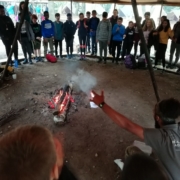
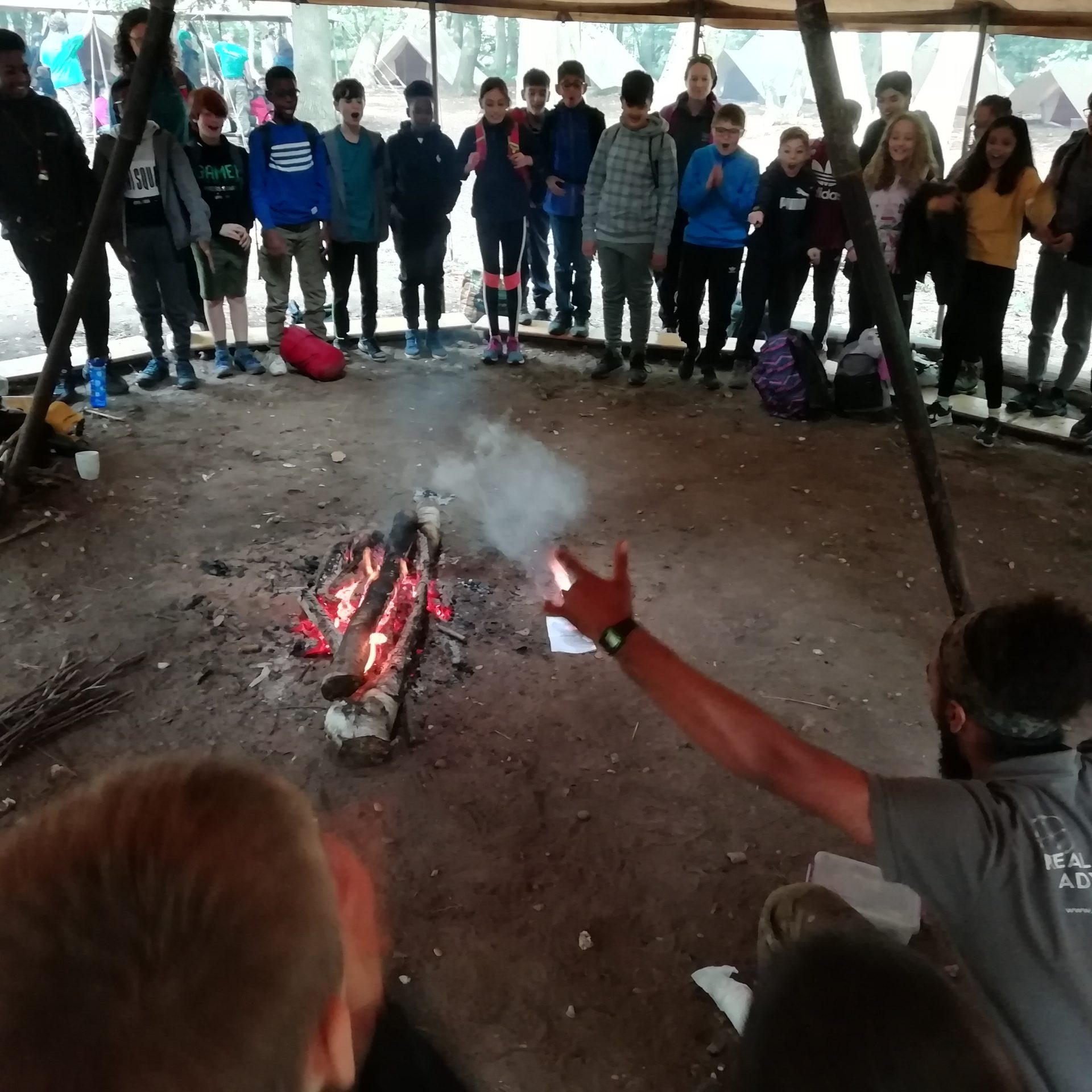
Our Camp Wilderness adventure was cut short today due to torrential rain and the continuing deterioration of conditions on site. At the point at which I made the decision to evacuate, rain was forecast for the afternoon, into the evening and into the following morning. Delaying the decision at that stage could have meant that we would have had to evacuate in darkness. The safety of students and staff is of paramount importance.
The logistics of trying to get the coaches to collect, transport bags and walk students to the camp entrance point was further challenged as the exit tracks from our campsite became flooded, turning them into rivers of mud and surface water.
Every child was evacuated safely with luggage. Any unclaimed luggage will be kept at school for parents to collect at your convenience. Tomorrow is now our annual occasional day so school is closed to students. This is a one day school holiday used in many Hertfordshire secondary schools. It was included on our calendar but no day was specified. I understand and fully appreciate the inconvenience this will cause to parents due to the late notice.
I would like to thank the coach company for their response to our request, students for remaining calm throughout and parents for their understanding and not forgetting the sterling response from our catering company who mustered up lunch for the remaining students at KWS as they waited to be collected. I have attached some photos that will perhaps give you some idea of the conditions which led to further challenges that hindered our ability to communicate in a timely manner to all parents as well as additional road closures encountered on the return journey to KWS, making us later than anticipated.
I will discuss with Bushcraft several aspects of the trip including the possibility of financial reimbursement to parents in the coming weeks.
Tony Smith
Headteacher
From This
To This


with this ahead

Please Click Here to read Issue 1 of our newsletter.
Harpenden Secondary Education Trust
Company Number: 09238779
Registered in England and Wales
Registered Address: Katherine Warington School, Lower Luton Road, Harpenden, Herts, AL5 5FH
Chair Of Trustees: Jenny Howarth, j.howarth@kwschool.co.uk
Katherine Warington School,
Lower Luton Road,
Harpenden,
Hertfordshire,
AL5 5FH
Telephone: 01582 314777
admin@kwschool.co.uk